
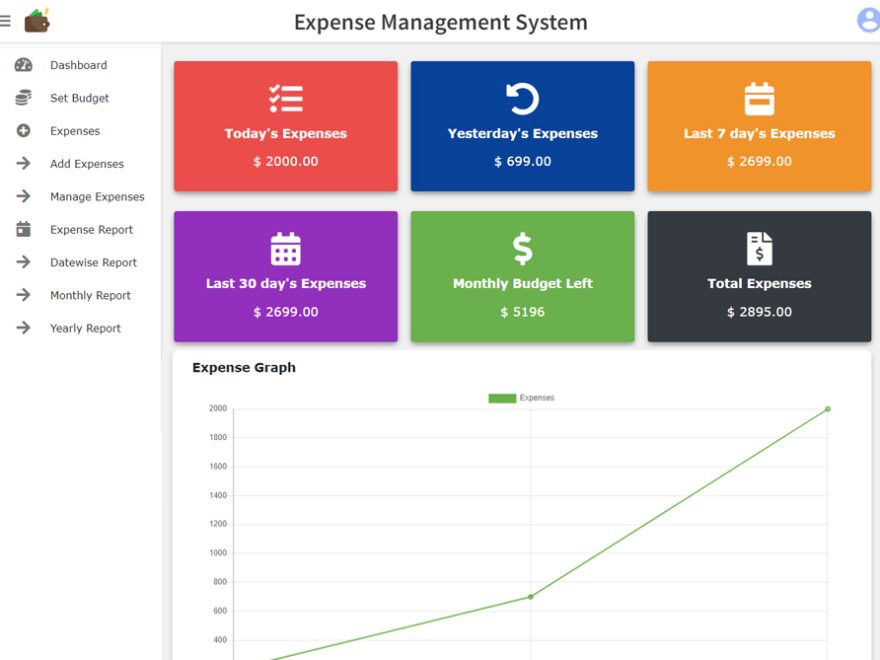
Description
Steps to use the project-
1. Download and Install XAMPP and PHP 5 or later.
2. Download the source code (paid) that is ₹499 (Sale today at ₹299).
3. Extract the ZIP File after downloading and the password is sharp@71. Don’t tell this password to anyone!
4. Place the extracted folder (not the ZIP File) in the htdocs folder in the xampp installation root directory.
5. Open XAMPP and start Apache and MySQL.
6. Create a new database at localhost\phpmyadmin in broswer with the name provided in the “01 LOGIN DETAILS & PROJECT INFO” file in the source code.
7. Click on Import and import the SQL file in the DATABASE FILE folder in the project’s root directory and click Go.
8. Open the URL – localhost\[ PROJECT_FOLDER_NAME ]
These steps will help to use the source code, don’t share the source code to anyone!
Please note that the download expires in 10 days after buying and can only be downloaded 10 times. If you want more downloads or download expires, you have to buy the product again.
Reviews
There are no reviews yet.